Overview
OBS Timer is a scheduled scripting plugin for OBS Studio. It controls button operations directly by calling the OBS Studio API. Simple to use, not blocked by the system, and more stable.
The primary use case of this script is scheduled recording — recording lectures, meetings, or live streams. It supports both scheduled stop and silence-based auto-stop for recording. Very easy to use; auto-start recording may be added in a future version.
If you stream via OBS (on any platform — Douyin, Kuaishou, WeChat Channels, Xiaohongshu, Taobao, Bilibili, etc., as long as you can obtain the stream key, this script can control OBS to start and stop streaming), this plugin fits your live streaming scenario perfectly. The only limitation is that the stream key must be entered manually. (Each platform has a different way of obtaining the stream key, which makes automating this step extremely difficult.)
Features
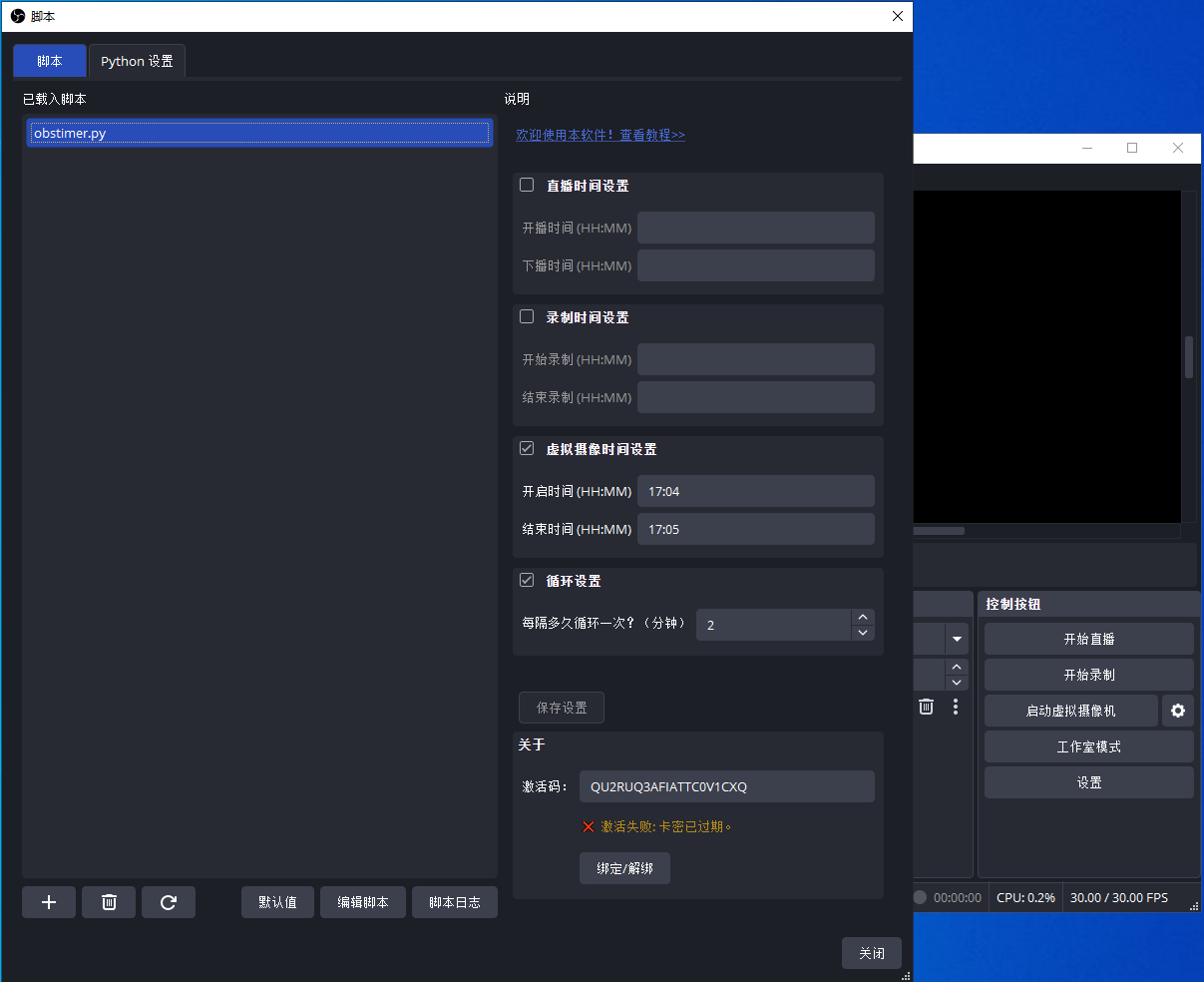
- Scheduled start / stop: streaming, recording, camera
- Loop scheduling
- Silence-based auto-stop: streaming, recording, camera
- Email notifications on errors
Photos
Download
- LanZou Cloud: https://wwbqm.lanzouv.com/iNLUj4a0559e
- Baidu Netdisk: obstimer_v0.2.1.zip (extraction code:
tjxk)
Purchase
- Taobao: https://e.tb.cn/h.hn7C4xIY8KYN4jH?tk=svvs4UuuEB0 (OBS Timer — scheduled start/stop streaming & recording, timed camera on/off, loop streaming)
Usage
This script is very simple and easy to use; it controls buttons directly by calling the OBS Studio API. After installation, you can configure the scheduled tasks above within the plugin.
System Requirements
- System: X64
- OBS version: 32.0 or above