What Is It
An online live-stream sticker watermark tool that brings anti-piracy, anti-recording and forensic tracing to public-facing live streams.
Everything runs in the browser — no local software to install: lay out your watermark stickers in the web editor, copy the render URL, and add a single browser source in OBS (or your streaming companion app). The watermark is overlaid on your stream instantly — with transparent background support, truly plug-and-play.
From that moment, every frame of your stream carries your mark. Screen recordings, screenshots, re-uploads — every copy that leaves your stream carries it too.
Why Live Streams Need Watermark Stickers
Pirated streams and re-uploaded recordings are problems every public streamer eventually faces:
- Courses, coaching sessions and community content get screen-recorded and resold;
- Stream highlights get re-uploaded to other platforms, siphoning off your traffic;
- Pirates impersonate you on live streams, diverting your fans and damaging your reputation.
Ex-post enforcement is expensive; ex-ante deterrence is the highest-ROI defense. A watermark permanently on screen means every recording, every re-upload carries traceable evidence — most would-be pirates will think twice before hitting the record button.
To be clear (stated on the product page as well): watermarks cannot 100% prevent piracy. Their value is deterrence, tracing and evidence — dramatically raising the cost of piracy and leaving verifiable evidence when disputes arise.
Core Features
Dynamic Forensic Variables: Not Just a Watermark — a Traceability Chain
Insert dynamic variables into stickers:
{time}— real-time timestamp{date}— current date{session}— session number{channel}— channel code{random}— random identifier
Combine several variables in one watermark to build a complete traceability chain: the pirated footage itself carries “which session, which channel, what time”. Distribute a unique channel code per recipient and the leak source is one lookup away.
21 Behavior Effects, Including AI-Repair-Resistant Drift
A static watermark dies to one screenshot crop — so the stickers move:
- Scrolling, jumping, breathing, blinking, rotating, shaking, pulsing, ghosting and more — 21 behavior effects;
- Three independent overlay channels, no interference;
- Built-in scene presets, one-click apply;
- Trajectory drift moves the watermark position over time — AI-based repair or cropping against it costs far more effort.
Text + Image Stickers, Pixel-Accurate Layout
- Free text stickers (CJK and Latin fonts) and image stickers (logos, QR codes);
- Drag, scale and rotate from any corner, positioned to the pixel;
- Multi-sticker compositions; one configuration reusable across multiple stream projects.
Seamless Green-Screen Blending
Green-screen / solid-background mode is supported. Window captures and assets without alpha channels blend seamlessly into your stream — no extra asset processing needed.
Free-Form Canvas, up to 4K
- Canvas up to 4K, plus portrait and arbitrary sizes;
- One-click tile across the full frame, or pin to all four corners;
- Landscape streams, portrait e-commerce, course recordings — one editor covers them all.
A Quick Look
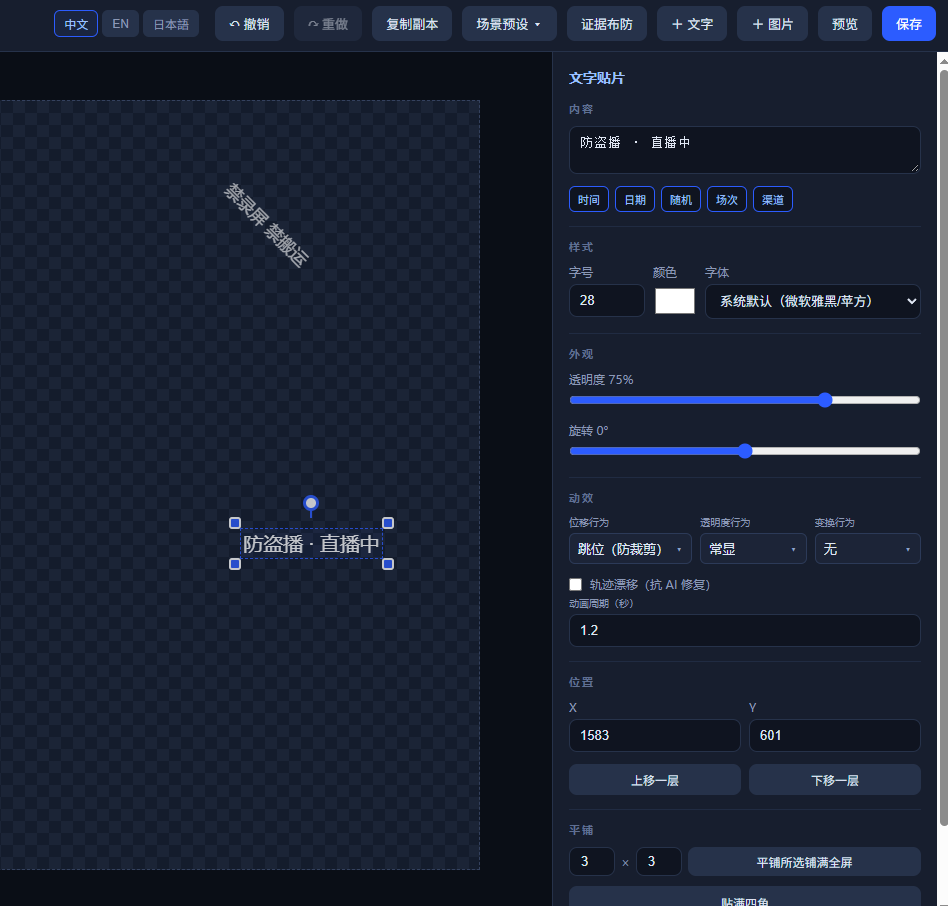
Web editor — text/image stickers, dynamic variables and 21 behavior effects, with live WYSIWYG preview:
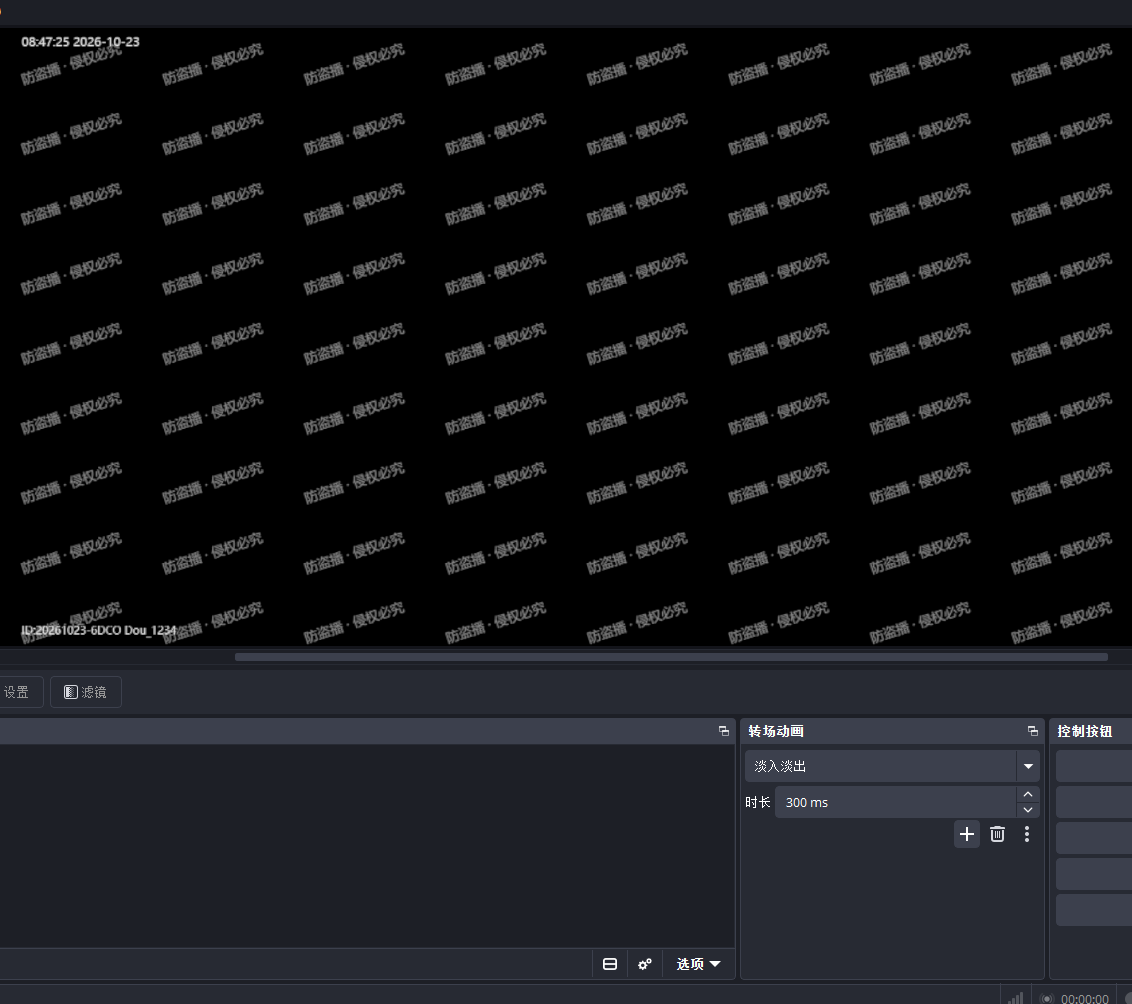
Actual OBS result — tiled watermark covering the full frame; timestamp + session + channel variables form the traceability chain:
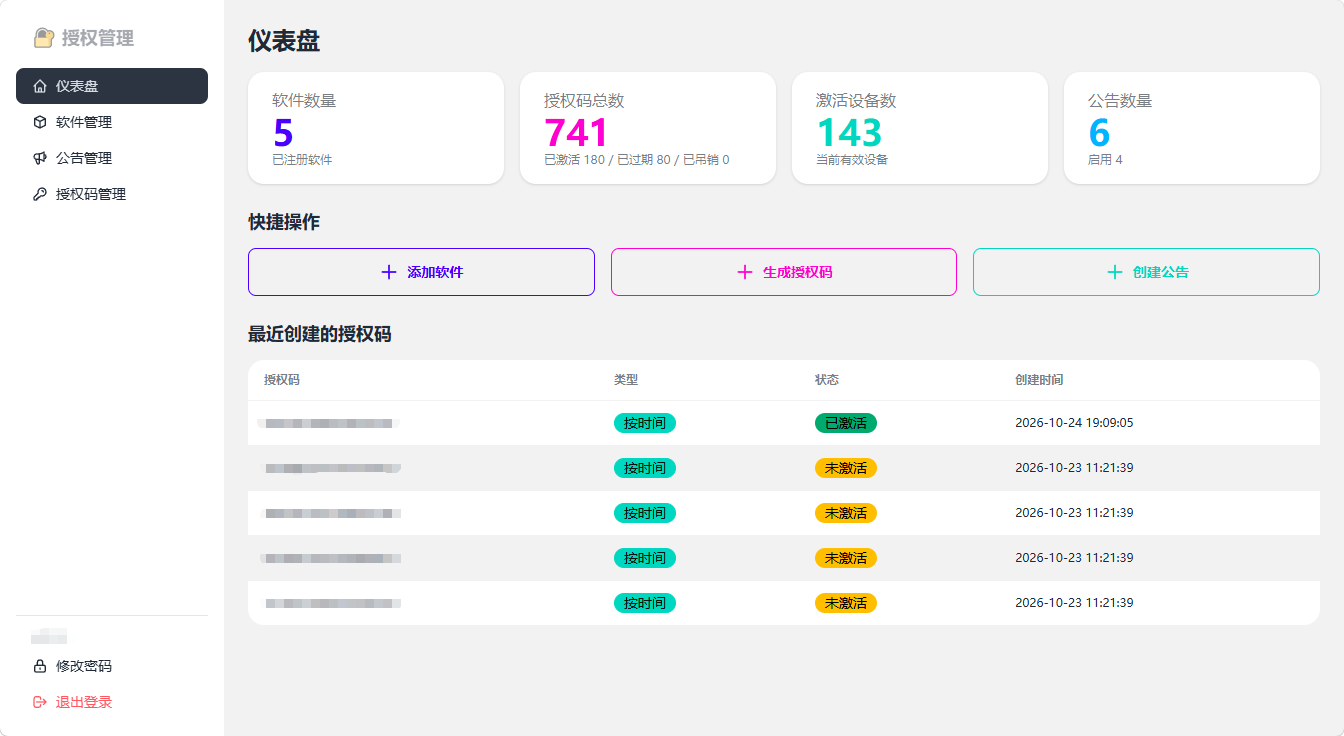
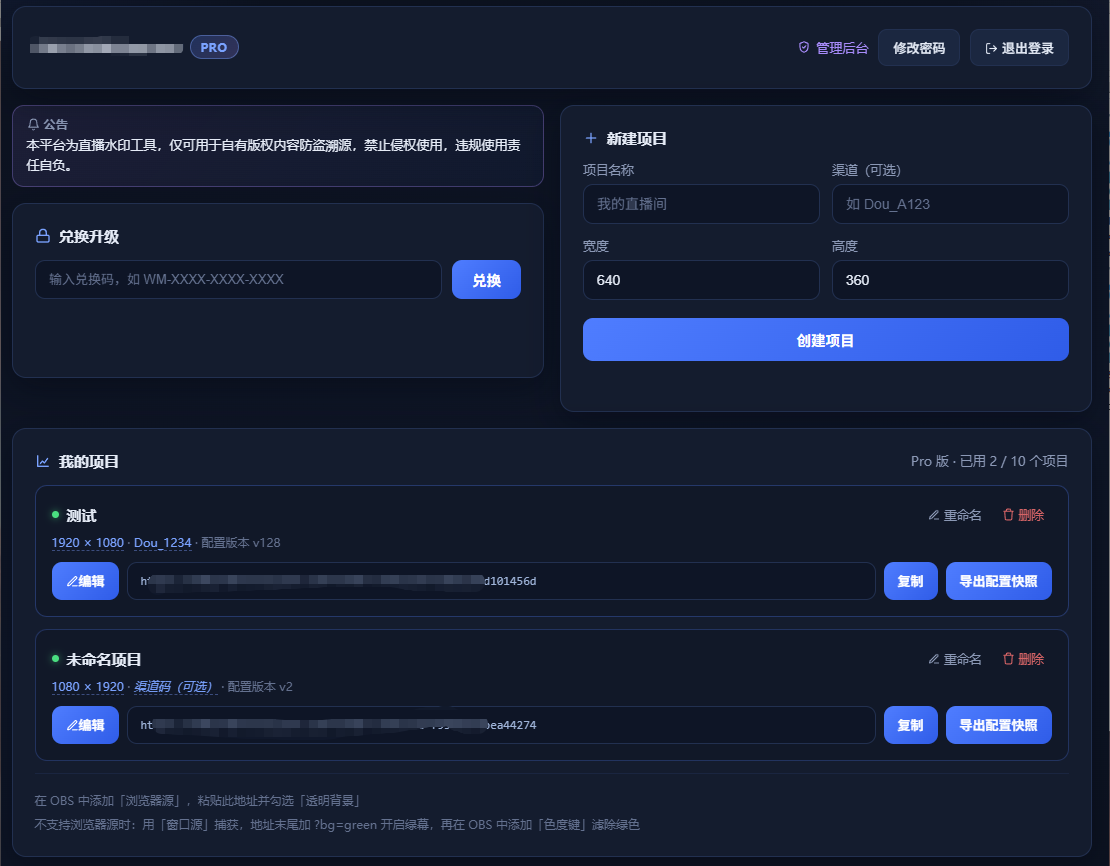
Console — create projects, copy render URLs and export config snapshots; multiple projects managed in one place:
Three Steps, Live in Five Minutes
- Register and create a project — free sign-up, sized to your stream canvas;
- Lay out stickers in the web editor — add text/image stickers, configure effects and dynamic variables, with live WYSIWYG preview;
- Add a browser source in OBS — paste the render URL and enable “transparent background”. Done.
Works with OBS Studio and platform streaming companions (Douyin / Kuaishou / WeChat Channels and more) — anything that supports a browser source.
Use Cases
| Scenario | How |
|---|---|
| Public stream anti-piracy | Identity watermark + session variables over Douyin / Kuaishou / WeChat Channels / Twitch / YouTube / TikTok LIVE |
| Courses & private content | Recording deterrence: timestamp + random ID makes leaks traceable |
| Multi-channel distribution | One channel code per channel; locate leaks instantly |
| Asset previews | Watermarked sample footage for clients — no free rides |
Free vs Pro
- Free tier: forever free, up to 1280×720, all core features included;
- Pro tier: unlocks 4K / portrait canvases and all behavior & combination effects.
Start free, run the whole flow, upgrade only if it earns it — no gates.
FAQ
Q: Do I need to install anything? No. Everything runs in the browser; OBS only needs one browser source.
Q: Which streaming software is supported? OBS Studio and platform streaming companions (Douyin / Kuaishou / WeChat Channels, etc.) — anything with browser-source support.
Q: Can the watermark be cropped out? With trajectory drift and multi-channel effects, simple crops rarely get everything. That said — as stated above — no watermark can guarantee 100% protection; the value lies in raising piracy costs and preserving forensic evidence.
Q: Will it slow down my stream? The watermark renders as a browser source and doesn’t compete with game/camera capture for encoding resources. Under normal configurations the impact on stream performance is negligible.
Related Open Source
The author also open-sourced moon-watermark, a MoonBit image watermarking algorithm library (visible watermarks + LSB/DCT invisible forensic watermarks) — algorithm-level exploration in the same direction.
Links
- Try it online: https://watermark.kaizdo.com/